

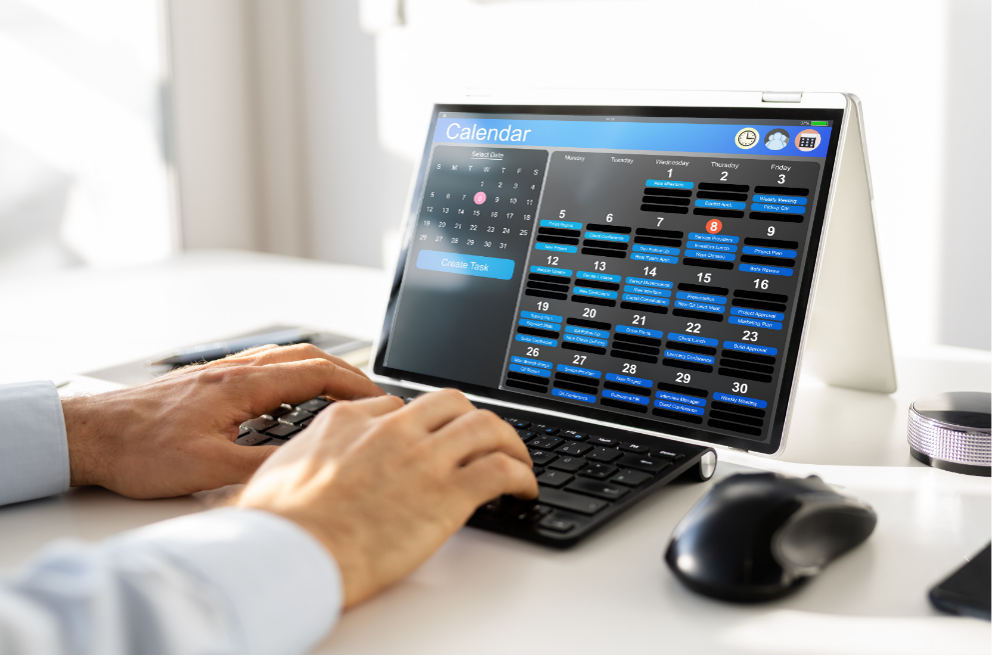
Today’s appliance repair customers value convenience. They expect to book a service appointment online at 10:00 PM on a Sunday without making a phone call. For shop owners, online booking promises lower call volume, less administrative work, and round-the-clock lead generation.
But appliance repair isn’t like booking a haircut or ordering food delivery. Every dispatched job depends on accurate diagnostic triage. If a customer selects “Dryer - Not Heating” on a basic web form and picks a timeslot, your dispatcher has almost nothing to work with. Is the dryer gas or electric? Is it showing an error code? What are the model and serial numbers?
Without these details, technicians arrive unprepared, and a repair that could have been a single visit becomes an expensive two-trip job.
These four strategies let you offer self-service convenience while still collecting the details you need to get the right parts on the truck.
1. Use Guided Booking Flows
Static web forms with a plain comment box invite vague descriptions like “fridge broken.” Your booking software should work like a virtual CSR, using conditional logic to ask follow-up questions based on earlier answers:
- Appliance category and brand: Require customers to choose from dropdowns (e.g., Refrigeration > Sub-Zero > French Door).
- Guided symptom tree: Replace the open text field with specific symptom options (e.g., “Not cooling at all,” “Freezer working but fridge warm,” “Loud clicking noise”).
- Warranty status: Ask early whether the appliance is under warranty. A “yes” can automatically trigger the required photo uploads described in Section 2, while non-warranty bookings get a lighter, encouraged-but-optional version. This way you require only what each job actually needs.
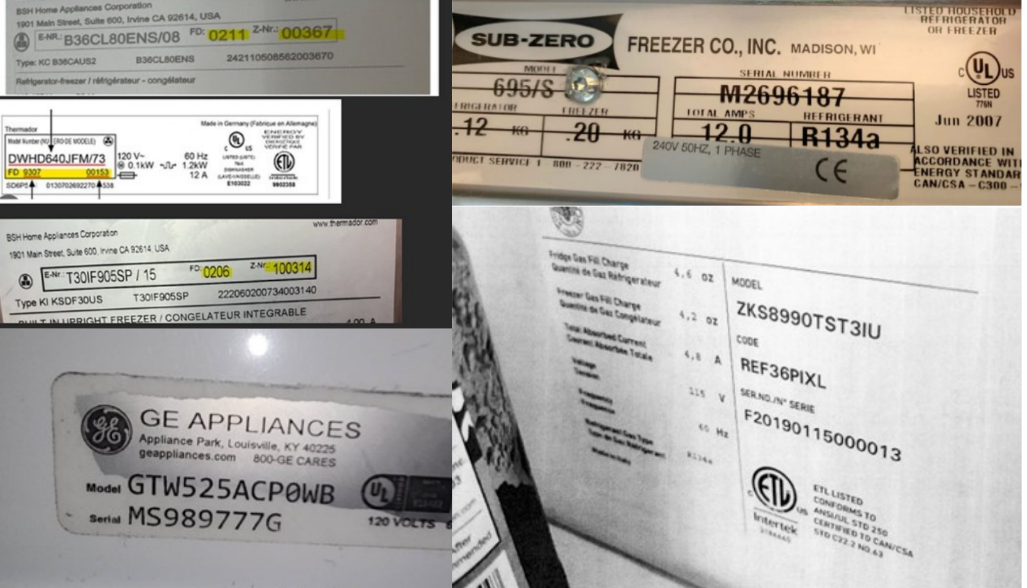
- Model and serial tag prompts: Show photos of where to find the tag on common appliances (e.g., inside the door frame or behind the crisper drawer).
2. Request Photos for Specific Symptoms
Build photo uploads into the booking flow, or send an automated text requesting them right after the appointment is booked:
- Model and serial tag photo: Ask customers to photograph the model and serial tag with their smartphone. This eliminates the typos and transposed characters that lead to wrong part orders. Manufacturers also typically require this documentation for warranty claims, so make it mandatory for warranty jobs and strongly encouraged for everything else.
- Damage photos: For warranty repairs, manufacturers generally require photos of any damage, so request them at booking rather than chasing them later.
- Error code and leak photos: If a customer selects “Error code displayed” or “Leaking,” require a photo of the control panel or the leak before confirming the booking.
Requirements vary by manufacturer, so check the documentation rules for the brands you service most.
3. Set Up a Hybrid Triage Workflow for Your CSRs
Online booking doesn’t mean your CSRs never touch the job. It changes when and how they interact with the customer:
- Post-booking verification: Flag online bookings as “Pending Triage” in your management software. A CSR reviews each entry, confirms parts availability, and sends a text or makes a 60-second call if key model details or warranty documentation are missing.
- Tentative time windows: Tell customers during booking that their selected window is tentative until the shop reviews the diagnostic details.

4. Give Customers a Reason to Provide Complete Information
Customers will gladly spend two extra minutes pulling out the crisper drawer to photograph a model tag if they see a clear benefit. You don’t need to discount your diagnostic fees to motivate them.
- Explain the benefit: Frame the request around getting their home back to normal sooner. For example, add this message to your booking portal: “Providing your exact model and serial number, along with the requested photos, helps us bring the right parts and get your appliance working faster.” For warranty customers, add: “Manufacturers typically require this documentation to approve warranty coverage, so sending it now helps avoid delays or out-of-pocket costs.”
- Offer priority scheduling: Instead of discounts, offer operational perks. Customers who provide verified model numbers and photos get first choice of premium or expedited slots on your dispatch grid.
- Send automated reminders: Use booking texts or emails to remind customers that sending a model tag photo in advance prevents delays and spares them from taking another half-day off work for a follow-up visit.
Summary
Online booking should be a growth engine for your appliance repair business, not a source of schedule chaos and second-trip callbacks. Dynamic booking forms, photo requests (required for warranty jobs, encouraged for the rest), messaging that ties customer cooperation to faster repairs, and a brief CSR review behind the scenes let you deliver the seamless digital experience customers expect while keeping First-Call Complete rates high.

